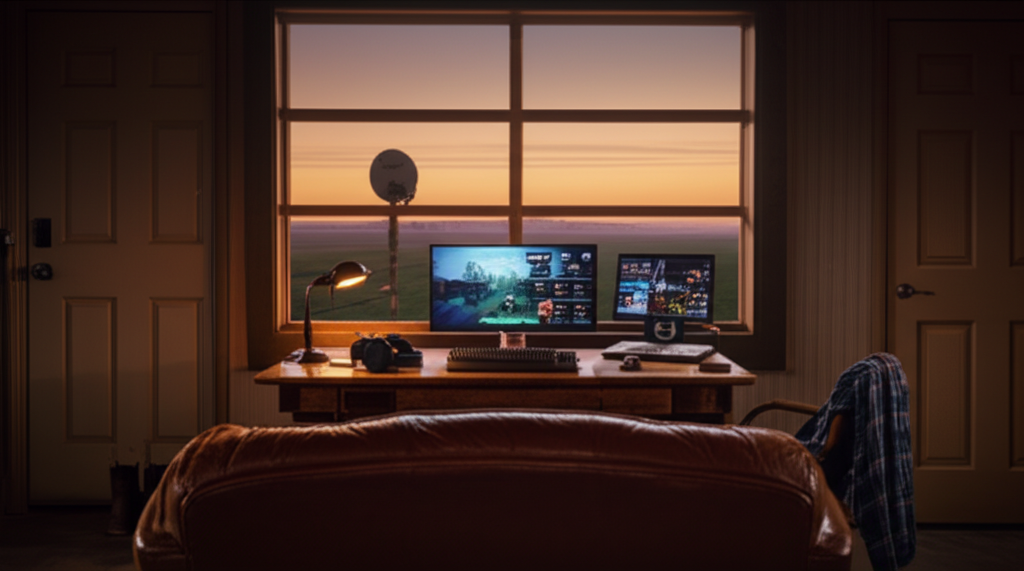
Can You Game on Starlink? What to Actually Expect
Quick Answer
Question: Is Starlink good enough for online gaming?
Answer: Starlink can handle most online games reasonably well, with typical latency sitting between 25 and 60 milliseconds in 2025. Casual games, co-op titles, and even battle royales feel solid for the vast majority of players. But you will hit occasional latency spikes and brief disconnects that sting if you're coming from a wired connection, especially in ranked competitive play.
You've Probably Been Burned Before
If you're reading this, there's a good chance you already know what it feels like to be left out of online gaming because of where you live. Your friends are partying up in Discord while you're staring at a ping counter that reads 800 ms on your old satellite connection, assuming the game even lets you connect in the first place. Or maybe you just moved out to a place with land and quiet and zero infrastructure, and you're wondering whether Starlink is finally the thing that lets you play again.
I get it. Spending $500+ on a dish and committing to a monthly bill is a real decision, and you deserve a straight answer before you do it. So let's get into what Starlink actually delivers for gaming in 2025, where it falls short, and how to set yourself up for the best experience possible.
Why Satellite Internet Used to Be a Death Sentence for Gaming
Old-school satellite providers like HughesNet and Viasat parked their satellites in geostationary orbit, about 22,000 miles above the Earth. Your data had to travel all the way up there and all the way back, which meant latency around 600 milliseconds on a good day. That's more than half a second of delay on every click, every keystroke, every shot you fire. Even something as simple as an MMO felt sluggish, and real-time shooters were completely off the table.
Starlink took a fundamentally different approach by placing thousands of satellites in low Earth orbit, between roughly 340 and 550 miles up. That shorter distance cuts the round-trip time dramatically. In practice, most users see latency between 25 and 60 ms, which puts Starlink in the same general neighborhood as a decent cable connection. It's not going to match fiber (where you might see 5 to 15 ms), but it's a world apart from what satellite internet used to mean.
The tradeoff is consistency, and this is the part most Starlink marketing glosses over. Your dish is constantly handing off between satellites as they orbit overhead, and during those handoffs, your latency can briefly spike to 100 ms or beyond. These jumps usually last a second or two at most, but if you've ever been in a 1v1 gunfight when the connection hiccups, you know how much that one second matters.
What Actually Works Well, and What Gets Frustrating
The Sweet Spot: Co-op, Casual, and Story-Driven Online Games
This is where Starlink genuinely shines. If you're playing Minecraft with friends, running dungeons in World of Warcraft or Final Fantasy XIV, tending a farm in Stardew Valley co-op, or working through Diablo IV's campaign, you're going to have a great time. These games are built to tolerate minor latency fluctuations because a brief spike doesn't ruin anything meaningful. You might see a tiny rubber-band moment once in a while, but it's barely noticeable.
Surprisingly Playable: Battle Royales and Casual Competitive
This surprised many people based on user reports across Reddit and gaming forums. Fortnite, Apex Legends, Warzone, and similar battle royale titles play genuinely well on Starlink for most people. The difference between 40 ms and 15 ms of ping is something only a small fraction of players can actually perceive, and in a chaotic 60-player lobby, your positioning and decision-making matter far more than a few extra milliseconds of latency.
You can absolutely enjoy ranked play in these games on Starlink. Where things get dicey is if you're pushing into the top percentage of competitive brackets, because a satellite handoff at the wrong moment can cost you a fight that determines your match placement. For the other 95% of players, though, it's going to feel fine.
Where You'll Feel the Pain: Precision Competitive Games
Fast-paced tactical shooters with high tick rates are the toughest category. Valorant, Counter-Strike 2, and Rainbow Six Siege all reward frame-tight reaction times, and even a 70 ms spike during a peek or a spray transfer can mean losing a duel you had dead to rights. Plenty of people play these games on Starlink and enjoy them, but if your goal is to hit Immortal or Global Elite, you're going to have moments where the connection betrays you and there's nothing you can do about it.
Fighting games are arguably even harder. Street Fighter 6 and Tekken 8 depend on rollback netcode to keep matches feeling smooth, but rollback works best when latency is stable. A sudden jump from 35 ms to 90 ms mid-combo can cause visible rollback frames that throw off your timing and your opponent's experience. If you play fighting games casually, Starlink is workable. If you're grinding ranked sets every night, it can be genuinely maddening.
Real-time strategy games like StarCraft II sit somewhere in between. The APM demands are high, but most RTS netcode is fairly tolerant of small latency variations, so you'll probably be okay unless you're playing at a semi-professional level.
What About Game Downloads?
Game downloads are also worth mentioning. Modern titles regularly hit 80 to 150 GB, and Starlink's download speeds (typically 50 to 200 Mbps depending on congestion and location) mean you're not waiting all weekend for an install. If you're on a plan with strong speed headroom, large downloads become a non-issue and you can actually keep your library updated without scheduling your life around it.
Practical Tips to Get the Best Gaming Experience on Starlink
Knowing what to expect is half the battle. The other half is setting things up properly so you're not making the experience worse than it needs to be.
1. Use an Ethernet adapter, not Wi-Fi. This is the single biggest improvement you can make. Starlink's built-in router is fine for browsing, but Wi-Fi adds its own latency and jitter on top of the satellite connection. A USB-C to Ethernet adapter (for the round dish) or the Starlink Ethernet adapter accessory gets you a wired connection to your gaming PC or console, and it noticeably smooths things out.
2. Give your dish a clear view of the sky. Obstructions cause the dish to lose contact with satellites more frequently, which means more frequent and longer disconnects. Use the Starlink app's obstruction checker before you permanently mount anything. Even a few tree branches in the wrong spot can double your dropout frequency.
3. Prioritize your gaming traffic if possible. If other people in your household are streaming video or downloading files while you're gaming, your latency will suffer. Some third-party routers let you set up QoS (quality of service) rules that prioritize gaming packets. It's worth the setup time.
4. Play during off-peak hours when you can. Starlink capacity is shared among users in your area, and congestion during evening hours (roughly 6 PM to 11 PM) can push latency higher and speeds lower. Early morning or midday gaming sessions tend to feel noticeably smoother.
5. Keep your expectations calibrated. If you're coming from DSL, a mobile hotspot, or old satellite internet, Starlink is going to feel incredible. If you're coming from cable or fiber, you'll notice the inconsistency. Knowing which camp you're in helps you appreciate what you've got instead of chasing perfection.
Alternatives Worth Considering
Before committing to Starlink, it's worth checking whether fixed wireless internet is available at your address. Fixed wireless uses ground-based towers instead of satellites, which means you get consistent low latency without the satellite handoff drops that occasionally disrupt Starlink gaming sessions. This makes a noticeable difference in competitive games where every millisecond counts.
Upload speeds also matter more than most gamers realize, especially if you're streaming your gameplay to Twitch or YouTube. Starlink's upload speeds hover around 10 to 20 Mbps, which is fine for casual streaming but can be limiting at higher quality settings. Fixed wireless providers like Softcom Internet often deliver symmetrical or near-symmetrical speeds, giving you plenty of headroom for both downloads and uploads.
The catch is availability. Fixed wireless requires line-of-sight to a nearby tower, so it's not an option everywhere. But if you can get it, the combination of stable latency, strong upload speeds, and no orbital handoffs makes it the better choice for serious gaming.
Is It Worth the Investment for Gaming?
For most people in areas without wired broadband, Starlink is a solid choice. It turned satellite internet from a "don't even bother" situation into something that genuinely works for the vast majority of online games. You can party up with friends, play competitive matches, download massive game libraries, and actually participate in the gaming world instead of watching from the sidelines.
It's not perfect, and anyone who tells you it's identical to fiber is either selling something or hasn't used both. The satellite handoffs will occasionally cause brief latency spikes that can cost you a round in competitive games. If you're playing casually or focusing on co-op and story-driven multiplayer, you probably won't care. If you're grinding ranked ladders every night, those moments will frustrate you.
Before you commit to the $500+ hardware cost and monthly subscription, check whether fixed wireless is available at your address. The consistency difference matters for gaming, and if you have the option, it's worth comparing what each service actually delivers in your area. But if satellite is your only realistic option for broadband speeds, Starlink clears the bar comfortably for most genres and skill levels.
Frequently Asked Questions
What ping will I get on Starlink for gaming?
Most users see between 25 and 60 ms in normal conditions, with occasional spikes to 80 to 120 ms during satellite handoffs. Your specific location and how congested your local cell is will affect your numbers.
Can I play Fortnite on Starlink?
Yes, and it works well for the majority of players. You'll occasionally notice a brief hitch during satellite transitions, but casual and even ranked play is very doable.
Is Starlink better than a mobile hotspot for gaming?
In most cases, yes. Hotspot connections often have higher and less predictable latency, especially in areas with weak cell coverage, and data caps can be a serious limitation. Starlink generally offers better speeds, lower latency, and more generous data allowances.
Will Starlink work for game downloads?
Definitely. Download speeds typically range from 50 to 200 Mbps, which means even large modern games won't take forever. Fixed wireless providers often deliver faster and more consistent speeds if that option is available in your area.
Can I use Starlink and a wired internet plan at the same time?
Some users set up failover configurations where Starlink serves as a backup when their primary connection drops, or vice versa. It requires a router that supports multi-WAN, but it's a solid setup if you have access to both.